5 Rich writing
The prose surface: typography, offline math, diagrams, figures, callouts, citations, sidenotes and raw HTML passthrough.
The usual features of a technical post work without setup and ship offline: the page
loads nothing from a CDN. Math and code highlighting render server-side, so nothing
re-runs in the client for them when the reader’s device switches to dark mode. A
{mermaid} diagram renders in the browser and re-renders on that switch
(Diagrams).
5.1 Prose and typography
Standard Markdown works as expected: bold, italic, strikethrough,
inline code, links, nested lists, blockquotes, and pipe
tables with per-column alignment:
| Cell language | Runs | Output |
|---|---|---|
{python} | in a warm Jupyter kernel | spliced back as blocks |
{js} | in the reader’s browser | mounted live |
{mermaid} | in the browser, lazily | a rendered diagram |
Smart typography turns straight quotes into curly ones and handles ellipses…, matching the look of a hand-written post.
Code blocks are syntax-highlighted server-side and get a hover Copy button.
A fence whose language token isn’t recognised still renders, just unhighlighted and
with no warning, so check the label if a block you expected to be highlighted looks
flat (a common cause is a typo like ```pyton). The language is read from the first
token and the rest of the info string is ignored, so a pasted ```rust,ignore still
highlights. When a block is meant to be plain (a terminal transcript, sample output),
label it text or console.
5.2 Math
Math renders server-side with KaTeX and ships fully offline (the fonts are bundled
at build time). Inline math like sits in running text, display
math takes its own line, and a labelled equation is numbered and cross-referencable.
Multi-line aligned environments work too. The discrete Fourier transform
[1] is given by Equation 5.1:
5.3 Diagrams
A {mermaid} code block renders client-side with mermaid.js, in Mermaid’s neutral theme
(dark in dark mode), and re-renders when the reader’s device switches between light and dark. Adding %%| label: fig-… and %%| fig-cap:
turns a diagram into a numbered, captioned figure you can cross-reference, just
like an image. As Figure 5.1 shows, one block model feeds three render targets:
flowchart LR
  Q[".tmd"] --> BM["block model"]
  BM --> H["HTML page"]
  BM --> S["website + nav"]
  BM --> K["book + TOC"]
Every diagram type mermaid supports works the same way (sequence, state, class, ER, gantt, and the rest); the syntax for each is in mermaid’s own documentation.
5.4 Figures and captions
A standalone image with a {#fig-…} attribute, or a code cell tagged with
#| label: fig-… and #| fig-cap:, becomes a numbered <figure>, and @fig-
cross-references resolve to its number. An image without the attribute stays a plain
image with its alt text. In a figure the caption is the description, so the image is
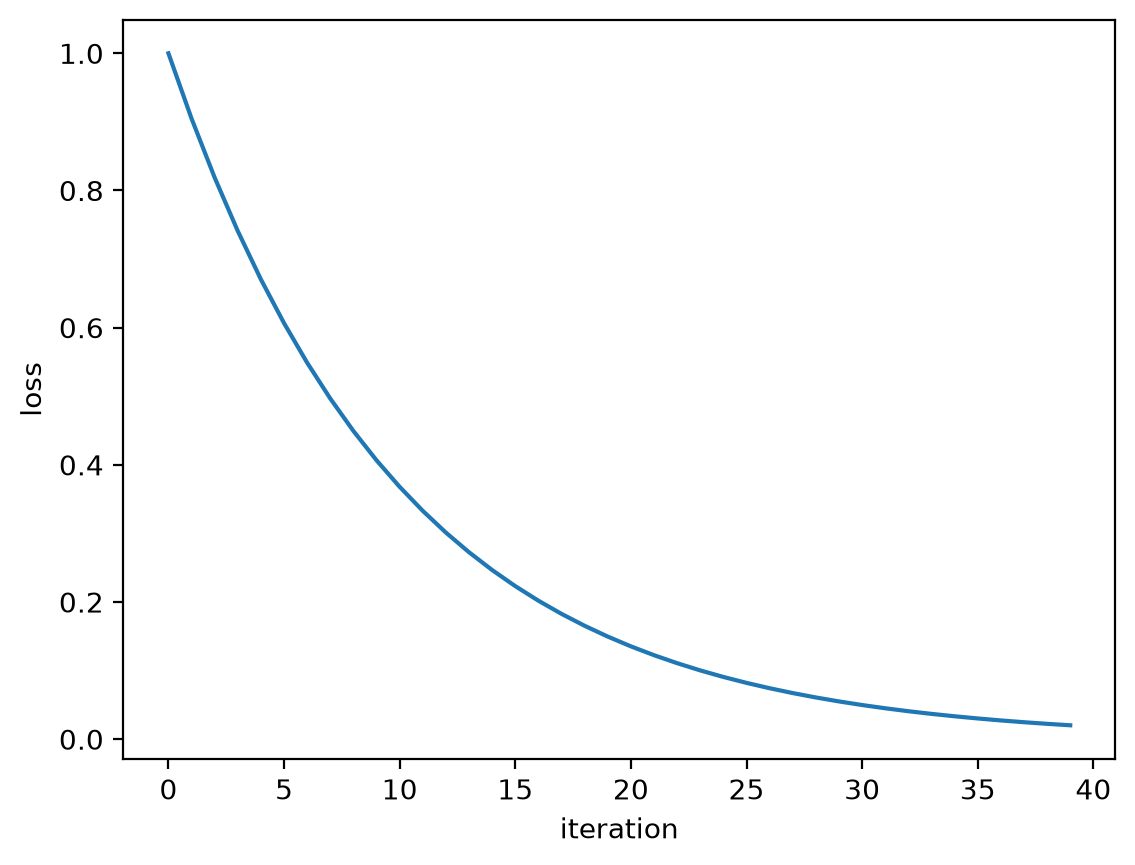
marked presentational (alt="") instead of being read out twice. Figure 5.2 is drawn by a matplotlib cell
that sets no theme colours: inline figures default to a transparent background with
neutral-grey axes, so they track the light/dark theme on their own.


5.4.1 Image handling
A .png, .jpg/.jpeg, .gif or .webp image needs no configuration and no
pre-processing.
Its box is reserved before it loads. Figure 5.3 above is emitted with the
intrinsic width and height read from the file itself (a phone photo’s EXIF rotation
included), so the prose below it never
jumps as the image arrives. The preview does the same, so what you see while an image
loads matches the built page.
Images are copied across unchanged, so shrink or re-encode the source yourself if the byte count matters.
.svg and .avif are the exceptions to the box-reservation rule above: an SVG has no
intrinsic pixel size to state, and AVIF decoding is deliberately not compiled in, so
nothing is emitted for either.
5.5 Callouts
Fenced divs become callouts, layout grids, or generic containers. A ::: line opens or
closes a div only at the top level of the document: inside code, an HTML comment, a list
item or a block quote it is text, and a div opened in a list item or block quote draws a
warning saying so. A div left open, and a ::: that closes no open div, are reported at
their line.
Use a title= attribute or a leading heading to label a callout; otherwise it
falls back to the callout kind.
A callout with collapse="true" becomes a native, JavaScript-free disclosure:
The full block model (click to expand)
Every top-level element carries data-block-id (a content hash), data-sourcepos
(its source range), and, for included files, data-source-file.
5.6 Citations and cross-references
With a bibliography: in the front matter, [@key] citations become numbered
links to an auto-generated References section, formatted from the BibTeX file.
This page cites the TeXbook [2] and the FFT paper [1], and
groups with locators work too: [2, 1, p. 297]. Every item in a
group starts with its @key, so a word like “see” goes before the bracket; a bracket
holding anything else is left as text, and a key in it is reported. Cross-references
resolve to labelled links across @fig-, @sec-, @tbl-, @eq- and @lst-,
carrying the resolved number when known (as @eq-dft and
@fig-scree above do). They also resolve across chapters, so a @fig- in one chapter
resolves to its figure in another.
In a site or book, bibliography: can instead live once in _site.yml and be shared
by every page; a page’s own bibliography: is then merged over it. See
Configuration.
5.7 Footnotes and sidenotes
Footnotes use the standard [^label] syntax. A reference renders as a superscript
number, and the note itself renders in the right margin, beside the line that cites
it.11Like this one. Write [^label] where you want the marker, and [^label]: …
anywhere for the body; Taliesin does the numbering and the placement.Back There is no list of endnotes at the bottom of the page, so reading a note does
not mean jumping to the end and back.
Narrow the window past the point where there is a margin to put a note in and the notes fold away; tapping a number reveals that one in place. In print every note sits in the flow, since paper cannot be tapped.
Notes are for asides short enough to sit in a narrow column, and a definition carrying block content (a list, a quote, a code block) is flattened to its text with a warning, because a margin note can only hold inline content.
For an aside with no reference to hang it off, a ::: {.column-margin} block floats
into the same margin column on a wide screen and folds into the flow on a narrow one.
.column-margin is the only spelling. Footnotes and margin blocks share one column, so
the two never collide.
This is a margin note. On a wide screen it sits in the margin, aligned to where it was written; narrow the window and it collapses to an indented note. Math works here too: .
To make a block wider than the reading column, use ::: {.column-page}: it widens up to
the page width, for content that does not fit the ~70-character measure.
| Class | What it does | Reach for it when |
|---|---|---|
.column-margin | Floats the block into the right margin on a wide screen, folds it into the flow on a narrow one | An aside with no footnote marker to hang it off |
.column-page | Widens the block up to the full page width | A wide table, a multi-panel plot, a diagram whose labels only fit at size |
Most wide content needs no escape. A code block, a folded cell, a numbered listing, a cell’s output, a data table and a Mermaid diagram all take the wider band by themselves, because the reading measure fits 55 columns of code and PEP 8 asks for 79. The band sets a maximum width: a box is as wide as its content needs, never narrower than the prose and never wider than 100 columns. It centres on the prose unless a margin note has claimed the right side, in which case it right-aligns to the prose instead.
Neither escape is a new block type: .column-margin and .column-page are plain
classes, so they work on a table, a figure, a listing, or a bare div, and the block keeps
its identity (a @fig- cross-reference still resolves through one).
5.8 Reusing a partial
Splices another file’s contents into this one before parsing, as if you had pasted
it in place. The directive must be alone on its line, and it is left literal inside
code (a fence, an indented block or an inline code span) and inside an HTML comment,
which is why the examples on this page do not fire and why commenting out an include
turns it off. The path is resolved relative to the file that holds the directive. A path
in the partial’s own text (an image, a link) is the including page’s, because the text is
spliced in before anything reads it:  in a partial names
figures/a.png beside each page that pulls it in.
Use an include to keep an author bio or a license footer in a single file and pull it into many pages. Because the splice happens before the block model is built, the included blocks are ordinary blocks with their own block ids and source positions, and click-to-source still resolves into the partial’s own file and line, not the page that pulled it in. The dev server also watches every transitively included file, so editing a partial re-renders every page that uses it.
A partial is just a .tmd file, but you usually do not want it discovered as its
own page in a site build. A file (or folder) whose name starts with an underscore
is skipped by the page walker, and shared partials conventionally go in an
_includes/ directory near the project root. A nested post then reaches its shared
partial with a relative climb, exactly as the corpus does:
An include that cannot be expanded is left visible and reported: an unsafe path (absolute, or one that climbs above the project root), an include cycle, a missing or unreadable file, and a directive that does not stand alone on its line (written inline, or after a list or quote marker) each draw their own located warning instead of failing the build outright. So does a partial that ends inside a code fence it never closed, since everything after the include would render inside that code block. A page stops expanding, with one warning, where it would pass 1,000 includes or 4 MiB of source: no real page comes near either, and a file that includes the next one twice at every level passes both within a few levels.
5.9 Raw HTML passthrough
A {=html} block is emitted verbatim, so you can drop in markup the Markdown
grammar doesn’t cover (custom widgets, embeds, audio players):
The palette is exposed as CSS custom properties you can use the same way:
--tali-fg, --tali-bg, --tali-muted, --tali-border, --tali-code-bg and
--tali-accent.